


This article was originally published on 15th May 2025 and was written by a former employee of Netizen eXperience, Tey Swan Ling.
In Part 1, Swan Ling explored how Gemini Advanced can serve as a powerful research sidekick, streamlining the planning of a digital wallet study with the CARE framework. While the AI significantly boosted efficiency and brainstorming, she emphasized that human insight is still the key to refining context and ensuring high-quality results. In this next installment, Swan Ling moves from planning to logistics, exploring how Gemini can assist with participant recruitment and scheduling
Phase 2: Participant Recruitment and Scheduling - AI as an Organizational Aid
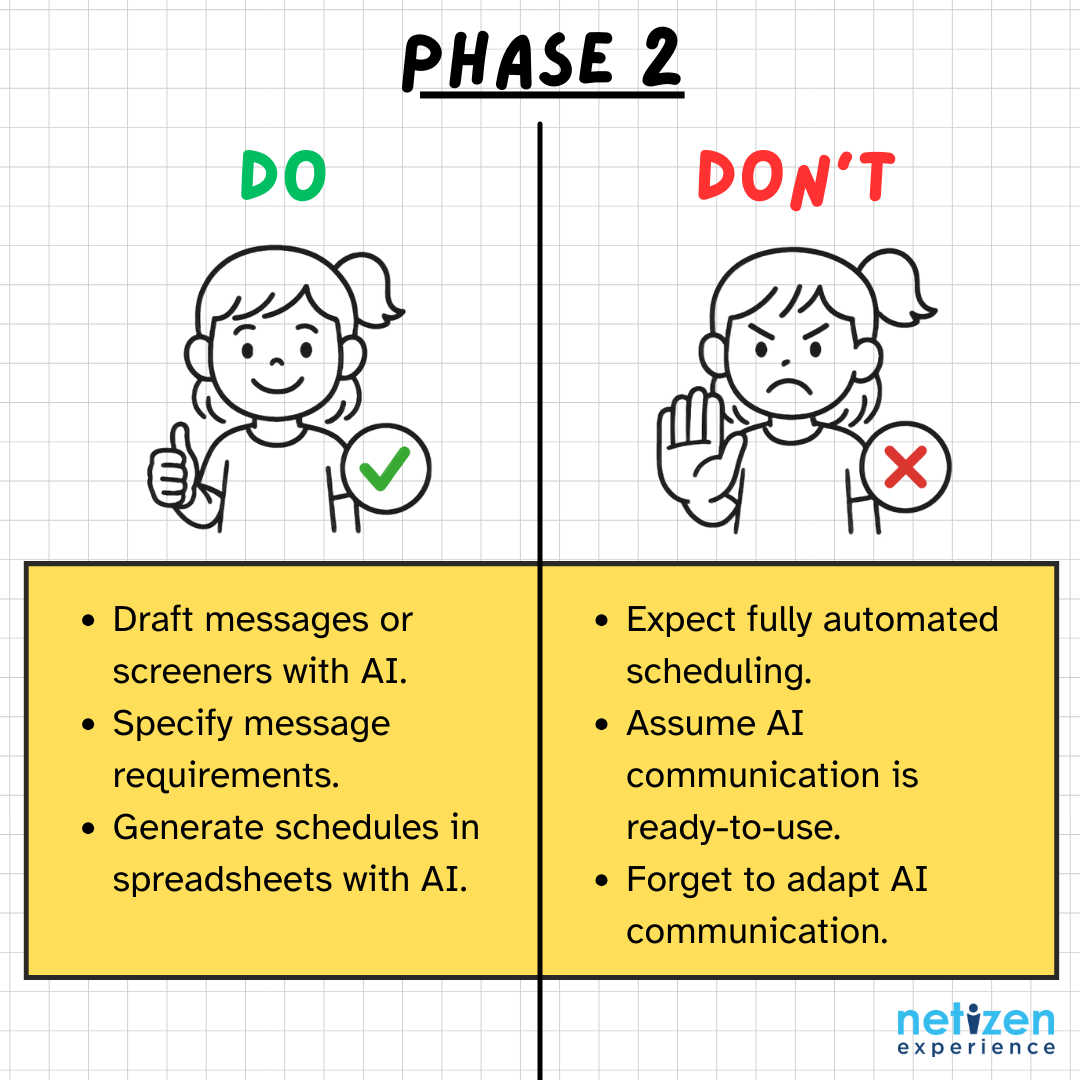
Next, even though my participants for this internal study were my ever-so-willing colleagues, the process of recruitment and scheduling still requires organization. In this phase, in line with the most common uses of AI to support in participant recruitment, I used Gemini to help me design the invitation messages and initial screening questions.
Aiding Communication by Designing Invitation Messages
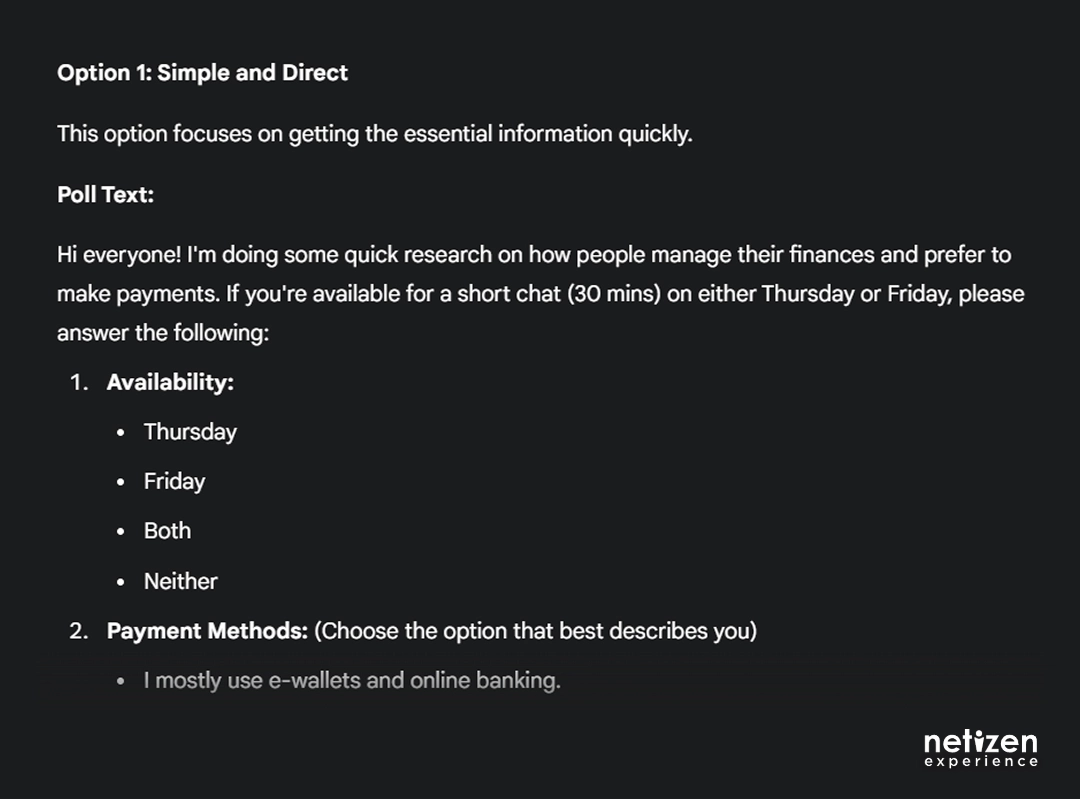
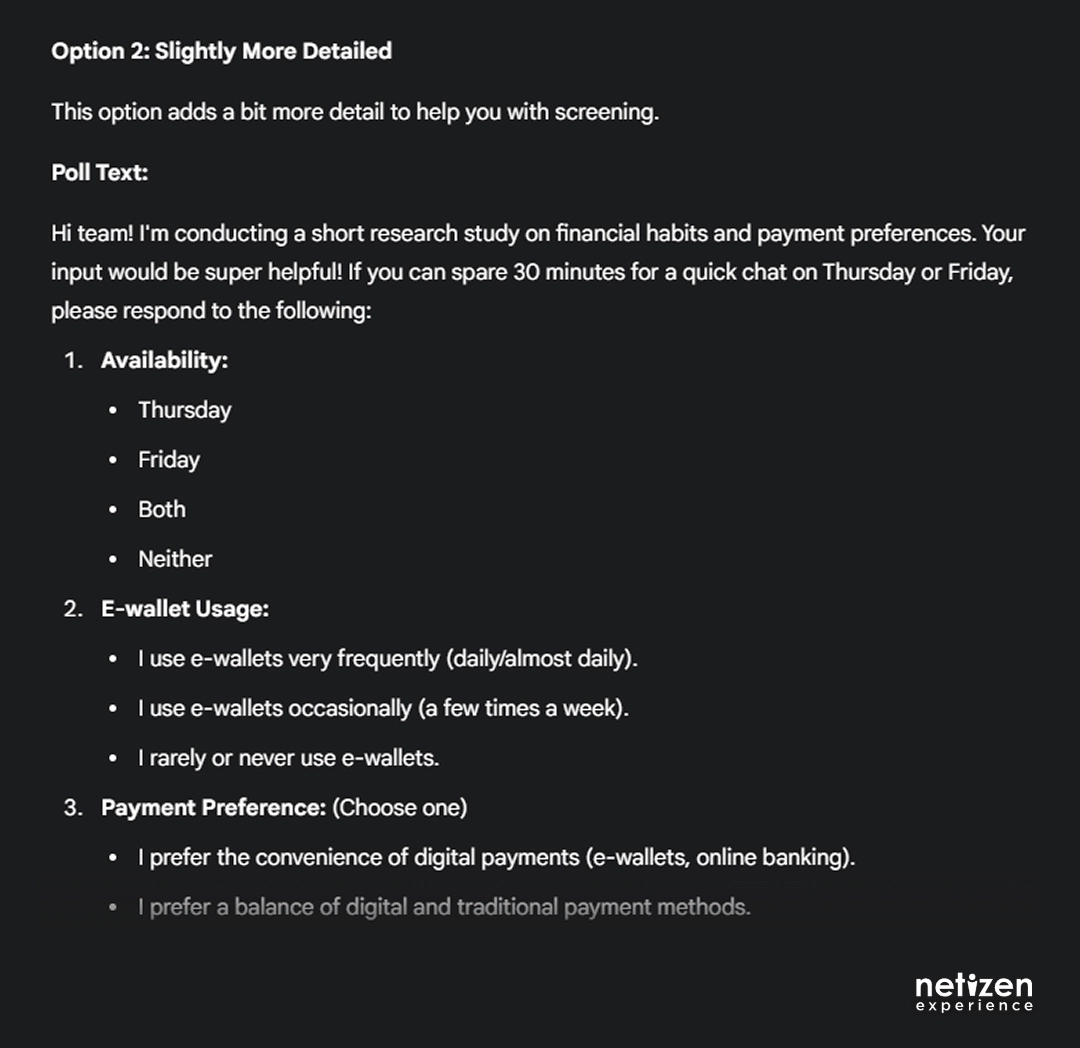
Instead of manually crafting messages, I turned to Gemini to draft my invitation messages to my colleagues. My prompt was straightforward – I asked Gemini to help create a screener and invitation message including what I need: availability and current payment methods. Gemini is able to personalize the message based on my current and earlier prompts from Phase 1, and also provided me with options of messages to choose from.
Organizational Assistance: Streamlining Scheduling
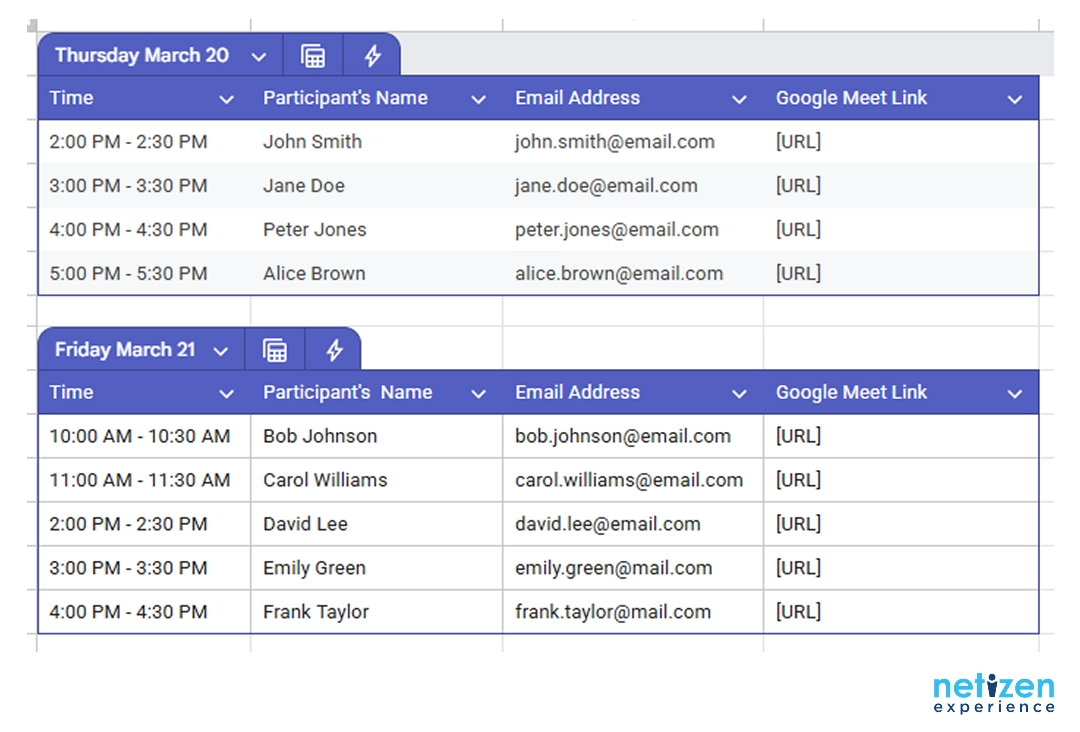
Since I wanted to utilize Gemini as much as I could, I decided to also use Gemini in Google Sheets to assist in creating a table of my participant’s interview timeslots. I specified details such as:
- Start date and time
- Session duration
- Buffer duration between interviews
- Lunch break window
- End time for my sessions.
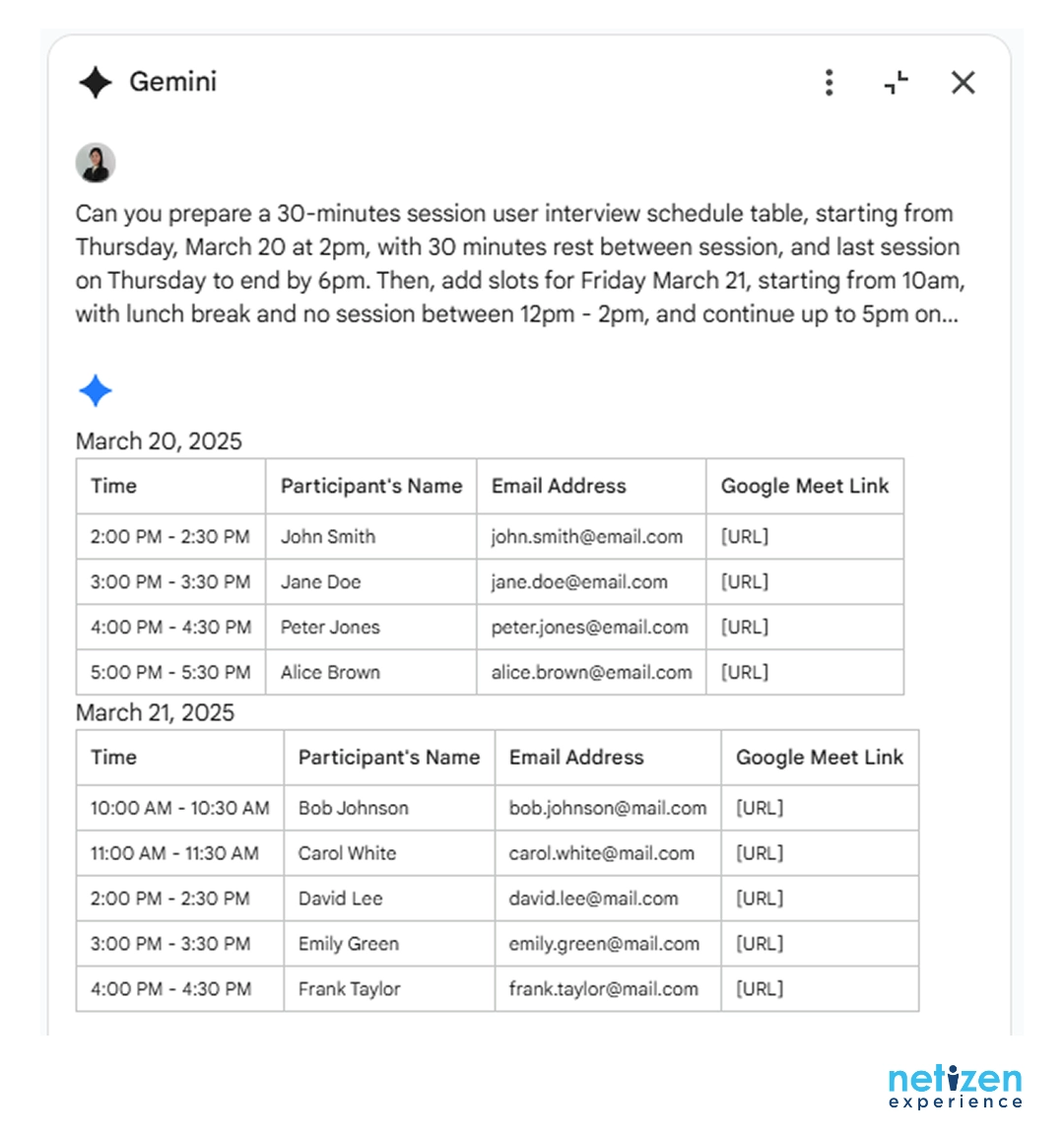
Gemini then generated tables that not only included columns for participants’ details (name, email address) but also incorporated the corresponding dates and times for the interview sessions. The only limitation was that Gemini could only produce a single table rather than separate ones, so I had to clean those up myself (but that’s just my personal preference!).
Missed the strategy session? Catch up on Part 1 (Planning).
Ready for the interviews? Move on to Part 3 (Fieldwork) and see how the data comes together in Part 4 (Analysis).


